


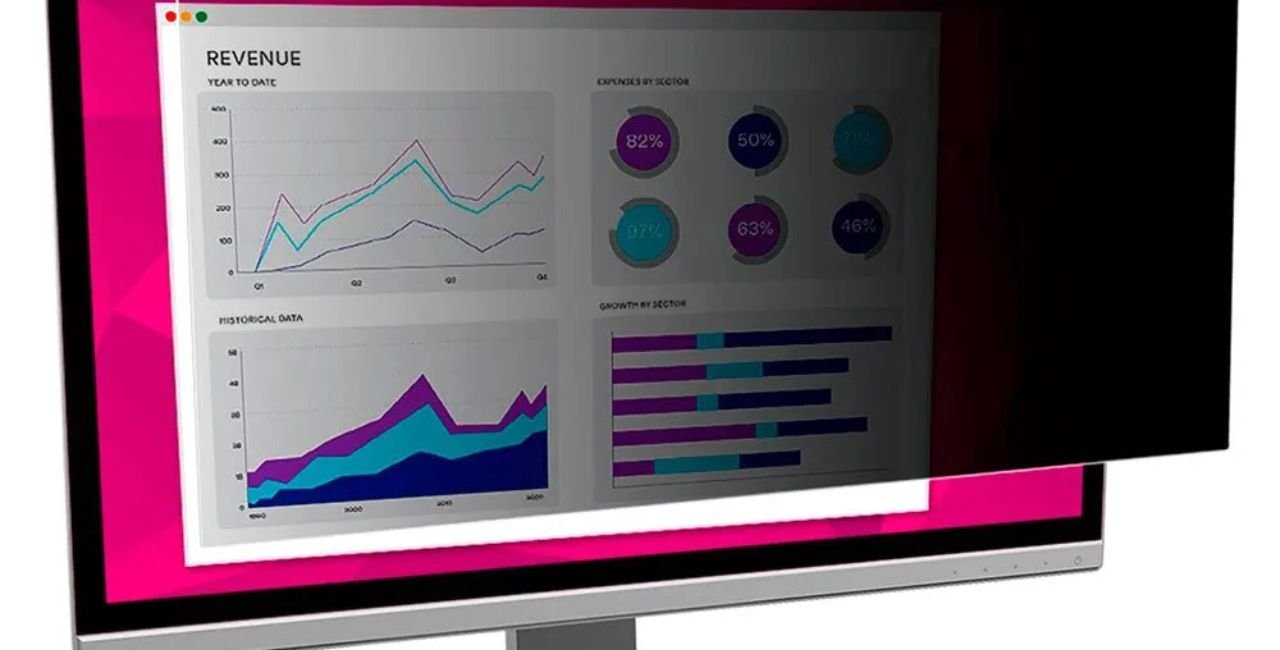
In today’s fast-paced world, where people work from coffee shops, airports, and open offices, keeping your screen private matters a lot. A high density microlouvers screen privacy protector steps in as a smart fix. This tool uses tiny louvers to limit who can see your display. Only you, sitting right in front, get a clear view. Others from the sides see a dark or blurred screen. It’s like having built-in blinds for your device.
Think about it: sensitive emails, bank details, or work files could be at risk from a quick glance over your shoulder. Studies show visual hacking – that’s when someone steals info just by looking – succeeds 91% of the time without protection. With a high density microlouvers screen privacy protector, you cut that risk sharply. Brands like 3M pioneered this tech, making it reliable for laptops, monitors, and tablets.
This guide dives deep into everything you need to know. We’ll cover how it works, its perks, setup tips, and more. Whether you’re a busy pro, student, or anyone handling private data, this protector helps you stay safe. Let’s explore why adding one to your setup is a game-changer.
What Is a High Density Microlouvers Screen Privacy Protector?
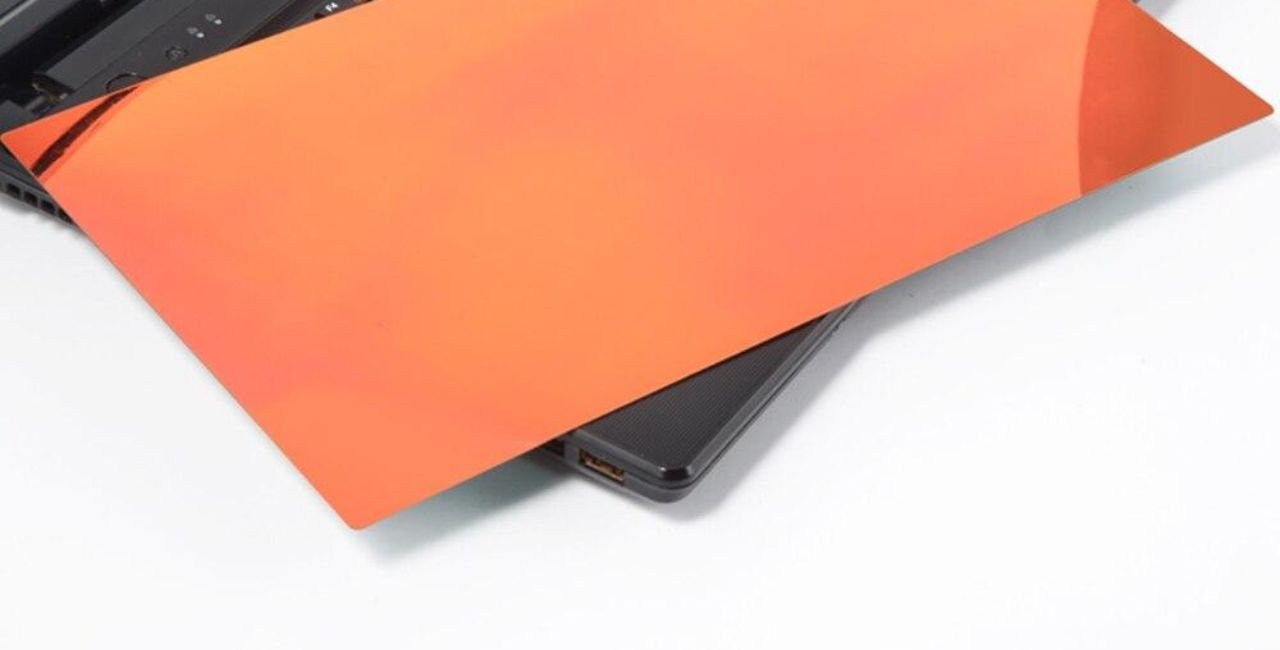
A high density microlouvers screen privacy protector is a thin film or filter that sticks to your device’s screen. It shields your view from prying eyes. The “microlouvers” are super-small slats, like mini blinds, embedded in the material. “High density” means these louvers pack closer together for sharper images and better privacy.
These protectors come in various sizes to fit laptops from 13 to 27 inches, monitors, tablets, and even phones. They use optical tech to control light. Light passes straight through for you but gets blocked at angles over 30 to 60 degrees. This creates a “blackout” effect from the sides.
Why choose high density? Standard versions might blur your view a bit. High-density ones keep things crystal clear for the user while boosting privacy. They often add anti-glare coatings to cut reflections and reduce blue light by up to 35%. This helps ease eye strain during long sessions.
Materials vary. Some use tempered glass for toughness, others flexible plastic for easy fit. Prices start around $20 for basic models and go up to $100 for premium ones with touch support. Look for ones that resist scratches and fingerprints – they last longer.
In short, this protector turns your public screen into a private zone. It’s essential for anyone who values data security.
The History and Background of Microlouver Technology
Microlouver tech traces back to the 1960s. Engineers at 3M developed it first for military uses. They needed ways to hide info on screens from enemies. By the 1980s, it hit consumer markets as privacy filters.
3M holds patents on core designs. Their work made microlouvers tiny – narrower than a hair. This evolution led to high-density versions in the 2000s. As screens got sharper with HD and 4K, louvers had to densify to match pixel counts without losing quality.
Today, companies like 3M, Kensington, and others lead the pack. Global demand spiked with remote work. A 2021 Ponemon study, sponsored by 3M, showed 64% of IT managers worry about screen hacks in hybrid setups. This pushed innovation, like nanolouvers – even finer for brighter views.
Achievements include ISO27001 compliance for security standards. These filters now protect billions in data yearly. For instance, healthcare pros use them to guard patient info under HIPAA rules.
The tech’s career, if you will, spans defense to daily life. It’s achieved widespread adoption, with millions sold. Relevant insights: As cyber threats grow, visual hacking costs firms millions. Privacy protectors counter this effectively.
How High Density Microlouvers Screen Privacy Protector Works
Let’s break it down simply. The magic lies in the louvers. These are thin, vertical strips in the filter’s layers. They direct light rays.
- Light Control: When your screen emits light, louvers let it pass forward. At angles, light hits the slats and absorbs or reflects away.
- Density Role: High density means more louvers per inch. This allows finer control, keeping your view sharp. Standard density might cause slight dimming; high density avoids that.
- Viewing Angle: Most limit to 60 degrees total – 30 each side. Some go narrower for max privacy.
- Added Layers: Many include polarizers to cut blue light. Anti-glare matte finishes scatter reflections. Touch-sensitive ones use conductive materials.
Picture it: You’re on a plane. The person next to you sees black. You see full color. Tests show these block 95% of side light.
For tech details, louvers are often 0.05mm wide. High-density packs 500+ per cm. This matches modern high-pixel screens.
In action, it prevents “shoulder surfing.” A 3M experiment found unprotected screens leak info in under 15 minutes 45% of the time. With this protector, that drops near zero.
Key Features of High Density Microlouvers Screen Privacy Protectors
These protectors pack useful traits. Here’s a list:
- Blackout Privacy: Blocks side views effectively.
- High Clarity: Up to 85% light transmission for you.
- Blue Light Reduction: Cuts 35% harmful rays, easing eye fatigue.
- Anti-Glare: Matte side reduces shine; glossy boosts vibrancy.
- Touch Compatible: Works with styluses and fingers.
- Easy Attachment: Clips, adhesives, or magnetic for quick swaps.
- Durability: Scratch and dust resistant.
- Reversible: Flip for matte or glossy.
Premium models add fingerprint resistance. For example, 3M’s nanolouver tech enhances brightness.
Stats: High-density filters offer 20-30% more clarity than basics. They’re great for high-res displays.
Benefits for Different Users
Who gains most? Pros in open offices avoid data leaks. A Ponemon study notes 52% of hacks come from screens. With protection, breaches fall 26%.
Travelers stay secure in crowds. Students keep notes private in class.
Health perks: Less blue light means fewer headaches. Productivity jumps – users with privacy tools work twice as fast near others.
Cost savings: Prevents million-dollar losses from hacks. 61% of workers worry about visual spying; this reassures them.
For remote workers, 64% of IT leads see risks. This tool addresses that.
Examples: Banks mandate them for tellers. Hospitals use for patient privacy.
Overall, it builds confidence in any setting.
Types and Compatibility
Types include:
- Laptop Filters: Fit 13-17 inches, edge-to-edge.
- Monitor Versions: For desktops, 19-27 inches.
- Tablet/Phone: Smaller, tempered glass.
Compatibility: Measure your screen diagonally, check aspect ratio (16:9 common). High-density suits HD+ screens.
Brands offer custom fits, like for MacBooks or Surfaces.
Installation Guide
Easy steps:
- Clean Screen: Wipe dust-free.
- Align Filter: Match edges.
- Attach: Use tabs, adhesive, or clips.
- Test: Check view angles.
Tips: Remove bubbles with a card. Reapply if needed.
Comparisons with Other Privacy Methods
Vs. software: Screens don’t block physical looks.
Vs. basic films: High-density offers better clarity.
Vs. gold filters: Similar but more reflective.
3M leads with 30% more clarity.
Pros: Effective, affordable. Cons: Slight dim if not high-density.
Buying Guide
Consider:
- Size and fit.
- Density for clarity.
- Features like blue light cut.
Shop at AliExpress for affordable options, Litoscreen for expert insights, or OfficeCrave for 3M products.
For more accessories, visit UltraPanda.
Budget: $30-60 average.
Maintenance Tips
- Clean with microfiber cloth.
- Avoid harsh chemicals.
- Store flat when off.
Lasts 1-2 years with care.
Real-World Examples and Case Studies
In a 3M trial, open offices saw 50% more hacks without filters. With them, productivity rose.
A finance firm cut breaches by 70% after adopting.
Healthcare: Protects HIPAA data.
Quotes: “It changed how I work in public,” says a user review.
FAQs
What is a high density microlouvers screen privacy protector? It’s a filter using tiny louvers to block side views.
Does it affect screen brightness? Minimal – high-density keeps 85% light.
Is it easy to remove? Yes, most are reusable.
Can it reduce eye strain? Yes, by cutting blue light 35%.
Where to buy? Online stores like mentioned links.
Conclusion
To wrap up, a high density microlouvers screen privacy protector is your shield against visual threats. It combines privacy, clarity, and health benefits in one slim layer. From history to how-to, we’ve covered it all. Adopt one to secure your data today.
What do you think – ready to add a high density microlouvers screen privacy protector to your device?
References
- AliExpress Product Page – Details on laptop privacy filters.
- Litoscreen Blog – Explains microlouver tech.
- OfficeCrave 3M Product – Specs on high-clarity filters.
- Ponemon Institute Studies (2021) – Stats on visual hacking risks for remote workers and general breaches.
