


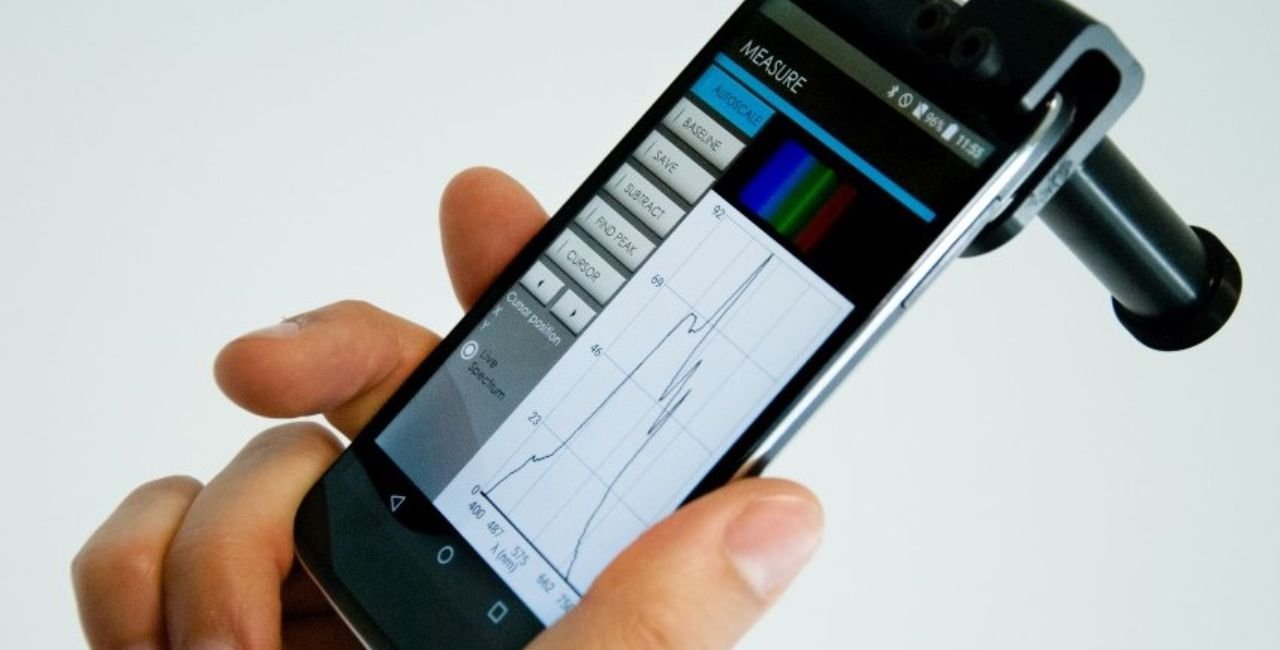
Is the gospectro smartphone spectrometer raman or not Many people ask this exact question when they see a small clip-on device that turns a phone into a powerful light analyzer. The short answer is no. The GoSpectro works in the visible light range for everyday checks like gem colors or filter tests. It does not use the special laser setup that true Raman spectrometers need. This guide explains everything in simple steps so you can decide if it fits your needs.
What Makes GoSpectro a Smartphone Spectrometer
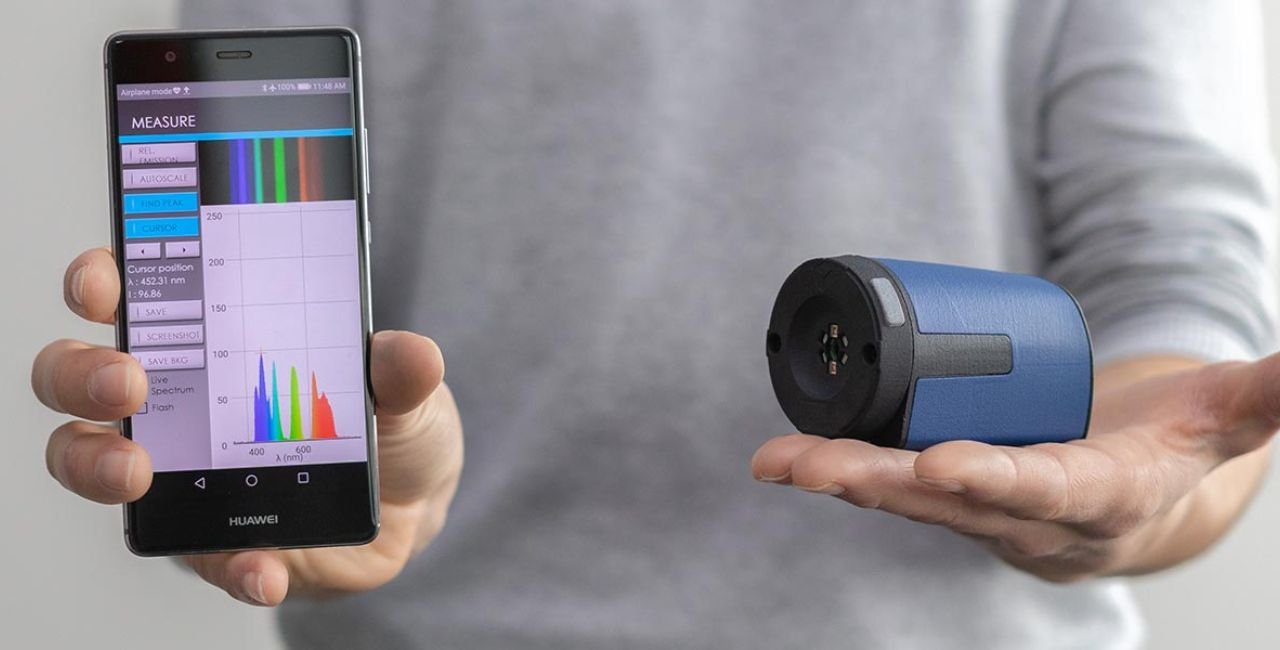
GoSpectro clips right onto your phone or tablet camera in seconds. It uses the phone’s own sensor to split light into colors. You get clear results from 400 nm to 750 nm—the full visible rainbow. The resolution sits at about 10 nm, and measurements repeat within 1 nm every time.
This means you can check a light bulb’s color output, test a colored filter, or study how light passes through a sample. The device comes with a free SpectroLab app for Android and iOS. The app shows the spectrum right on your screen and lets you save data fast. No extra wires or heavy boxes needed. You just point, capture, and read.
People love it for field work because it slips into a pocket. Teachers use it in classrooms. Jewelers carry it to shows. The whole setup costs far less than lab machines yet gives reliable numbers.
How GoSpectro Attaches and Works in Real Life
Installation takes less than a minute. Pick the right adapter ring for your phone model. Slide the GoSpectro over the camera lens. Open the SpectroLab app. Shine a light source or hold a sample in front. The patented design collects more light than older clip-ons, so pictures stay bright even in dim rooms.
The app uses vertical binning on the phone’s camera. This trick combines pixels to cut noise and boost signal. You see a clean graph instantly. Want to share? Export the file to email or cloud storage. Everything stays simple—no PhD required.
Key Specs That Matter for Daily Use
- Wavelength range: 400 nm to 750 nm (all visible colors)
- Resolution: better than 10 nm
- Reproducibility: 1 nm
- Size: ultracompact, fits any pocket
- Compatibility: most Android and iOS phones and tablets
- App: SpectroLab with basic tools included
- Optional add-on: fiber-optic adapter for tricky samples
These numbers help you understand why GoSpectro shines for quick checks. A 10 nm resolution catches big color shifts but stays easy on the eyes when reading graphs.
Real-World Applications You Can Try Today
GoSpectro fits many jobs without needing a full lab.
Gemology and Jewelry Jewelers and buyers use it to tell real stones from fakes. Hold a gem under white light. The app shows absorption lines—dark spots where the stone eats certain colors. For example:
- Natural ruby shows a sharp line near 680 nm plus a broad dip around 550 nm.
- Synthetic ruby looks similar but the 550 nm dip is stronger.
- Emeralds display a bright band at 515 nm and small peaks at 660 nm. Synthetic versions shift slightly and glow under extra light.
You can build your own database by saving each scan. Compare new stones to your saved references in seconds. No more guessing at shows.
Light Source and Filter Checks Test LED bulbs, street lamps, or phone screens. See if the color matches the box label. Check sunglasses or camera filters by measuring how much light gets through. Teachers show students the difference between warm and cool lights with live graphs.
Chemical Analysis Look at colored liquids or powders. Measure how much light they absorb or reflect. The device handles fluorescence too when you add a simple UV lamp. Results help with quality control in small labs or hobby projects.
Traceability and Authentication Factories use it to verify packaging inks or security labels. Museums check old paintings or fabrics without moving them.
All these jobs use the same visible light method. You point ordinary light at the sample—no special laser required.
gospectro smartphone spectrometer raman or not Explained in Detail
Here is the clear answer to the title question. The gospectro smartphone spectrometer raman or not comes down to how each tool works. GoSpectro is a passive device. It splits the light you shine on it. Raman spectrometers do something different.
Raman needs a strong laser to hit the sample. Most of the laser light bounces back unchanged (Rayleigh scatter). A tiny bit shifts because molecules vibrate. Those shifts create unique peaks that fingerprint chemicals. To see those tiny shifts you need:
- A narrow-line laser (often 532 nm or 785 nm)
- Filters to block the bright laser light
- Sensitive detectors tuned to small energy changes
GoSpectro has none of these. Its range stops at visible light. No laser comes in the box. It cannot measure those vibration shifts. That is why the answer to gospectro smartphone spectrometer raman or not is clearly “not.”
The makers even sell separate Raman tools like the IndiGo Raman-532nm. They keep GoSpectro for visible jobs only. This separation shows the company knows the difference.
Why People Often Ask the Same Question
Search engines fill with “smartphone Raman” because new DIY projects and phone apps pop up every year. Some use cheap lasers and gratings to mimic Raman on a phone. Those projects need extra parts and careful safety steps. GoSpectro skips all that. It stays safe and simple because it never fires a laser. That makes it perfect for schools and non-experts.
Confusion also comes from portable spectrometers in general. Many handheld units now offer Raman because police and factories need fast chemical IDs. When you see “smartphone spectrometer” you might assume Raman. But GoSpectro focuses on light color and absorption instead.
Side-by-Side Comparison: GoSpectro vs True Raman Tools
Let’s break it down simply:
- Light Source — GoSpectro: any room light or bulb. Raman: dedicated laser only.
- What It Measures — GoSpectro: color absorption, transmission, reflection. Raman: molecular vibration fingerprints.
- Resolution Needed — GoSpectro: 10 nm works fine. Raman: needs 1 cm⁻¹ or better for sharp peaks.
- Safety — GoSpectro: eye-safe, no laser. Raman: laser glasses required.
- Price — GoSpectro: around $440. Full Raman handheld: often $10,000+.
- Portability — Both win, but GoSpectro wins on weight and battery use.
If your job needs to spot drugs, explosives, or plastics by their molecular “fingerprint,” choose Raman. If you check gem colors, light quality, or simple filters, GoSpectro saves money and time.
Step-by-Step Guide to Using GoSpectro
- Choose the correct adapter for your phone camera.
- Clip GoSpectro in place.
- Open SpectroLab app and follow on-screen calibration (takes seconds with any white light).
- Hold sample or light source in front of the slit.
- Tap capture. The graph appears instantly.
- Save, share, or compare to previous scans.
Tips for best results:
- Use steady hands or a small stand.
- Keep the sample close to the slit.
- Calibrate each new lighting condition.
- Add the optional fiber-optic probe for liquids or tiny spots.
Most users master it in one afternoon.
Advantages That Make GoSpectro Stand Out
You get lab-grade data in your pocket. No waiting for big machines. Results appear live. The app works offline. Updates keep it fresh. Schools report higher student interest because everyone uses their own phone. Jewelers close more sales by showing proof on the spot.
When GoSpectro Is Not the Right Choice
If you need to identify unknown powders or clear liquids without color, Raman wins. GoSpectro cannot see those hidden vibration lines. Its 10 nm steps also blur very fine features. For those jobs, look at dedicated Raman units or send samples to a lab.
Easy Alternatives to Consider
Want to test the idea cheaply? Try the DIY method shown on Steve’s Open Lab. They walk you through building a basic spectroscope with cardboard and a cheap grating for under $20. It teaches the same visible principles GoSpectro uses but at hobby level.
For full Raman power, check professional models from the same companies that sell GoSpectro. They list IndiGo Raman options right alongside.
Need more smartphone tools? Visit ultrapanda.co for extra accessories and ideas.
Real Examples from Gem Testing
Take red garnet. GoSpectro shows five dark lines at 510, 525, 580, 625, and 680 nm. A fake glass shows only one red band. You spot the difference in under a minute.
Emerald checks reveal a bright center band at 515 nm. Synthetics shift blue and glow extra. These small clues help buyers avoid costly mistakes. The same process works for sapphires, spinel, and even colored glass. Each stone writes its own story in the absorption lines.
Tips to Get the Most from Your GoSpectro
- Keep the lens clean with a soft cloth.
- Test in consistent light first.
- Build a personal library of known samples.
- Pair with a small UV flashlight for fluorescence checks.
- Update the app regularly for new features.
These habits turn the device into a daily helper instead of a shelf decoration.
Looking Ahead for Smartphone Spectrometers
Phone cameras keep improving. Future GoSpectro versions may reach near-infrared or add smarter apps. The basic idea—clip, scan, know—will stay. More fields like food safety and environmental checks will adopt these tools because they cost little and travel everywhere.
Conclusion
To wrap up, the gospectro smartphone spectrometer raman or not question has a clear answer: it is not Raman. GoSpectro delivers fast, accurate visible spectra for gems, lights, filters, and simple chemical checks. Its low price, tiny size, and phone app make it perfect for on-the-go work. When you need molecular fingerprints, step up to a real Raman system.
For most everyday users, GoSpectro hits the sweet spot between power and simplicity. Ready to try one yourself? What sample would you test first—share your thoughts below!
References
- Official product details and specifications – https://www.axiomoptics.com/products/gospectro/
- Regional seller information and applications – http://fandascientificme.com/product/gospectro/
- DIY comparison and smartphone spectroscope basics – https://stevesopenlab.org/convert-your-smartphone-into-a-spectroscope/
- Gem authentication examples using absorption spectra (PDF linked from manufacturer site)
- Price and fiber-optic option confirmation from manufacturer – https://www.goyalab.com/product/handheld-spectrometer-gospectro/
